

1
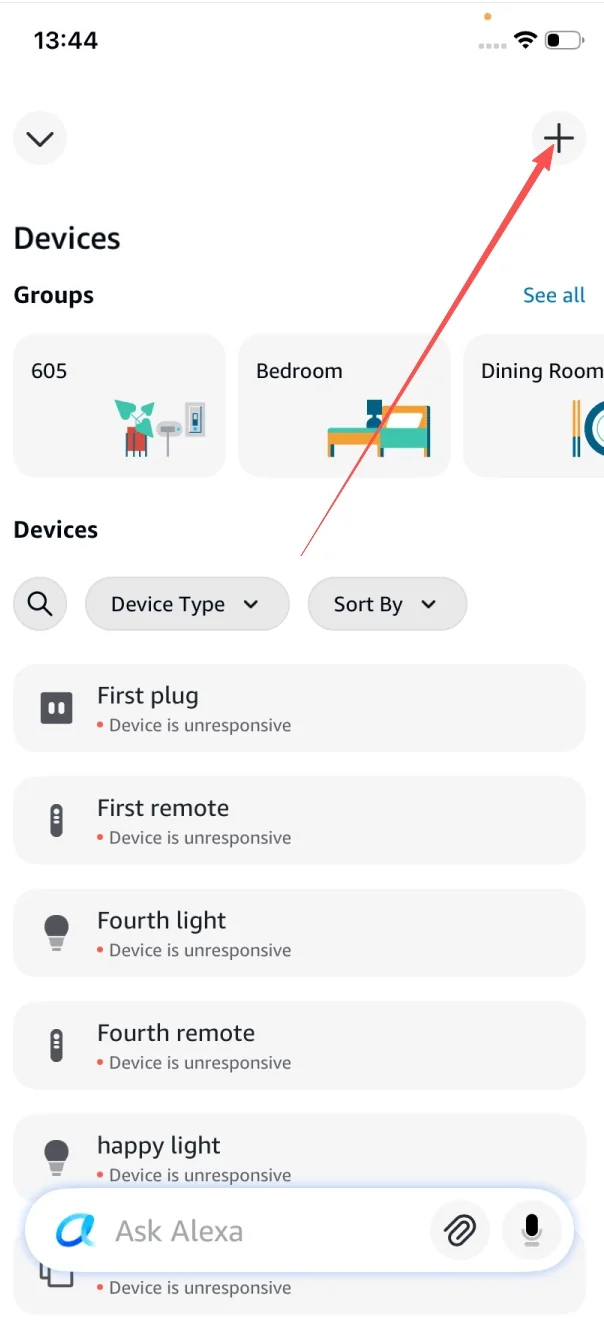
Open the Alexa app and tap +
On the Devices tab, tap the + icon in the top-right corner to start adding a new device.
Connect every Livolo smart switch to the voice platform you already use. Step-by-step guides for Amazon Alexa, Google Home, Homey and Yandex Alice — no hub required for Wi-Fi models.
 Amazon Alexa
 Homey
Homey
Hands-free voice control for every Livolo switch. Compatible with Echo, Echo Dot, Echo Show, and the Alexa app on iOS and Android.
No hub required for Wi-Fi models. Works with all current-generation devices.
In the Alexa app, tap + → search "livolo" → tap Search the Skill Store → select LIVOLO HOME → tap ENABLE TO USE.
You’ll be redirected to iot.livolo.com. Enter your livolo-app email and password, then tap Sign in to link accounts.
Alexa pulls in every switch on your Livolo account. Rename by room and start saying "Alexa, turn on the kitchen lights."
Total time: ~3 minutes. Have your livolo-app email and password ready.
On the Devices tab, tap the + icon in the top-right corner to start adding a new device.
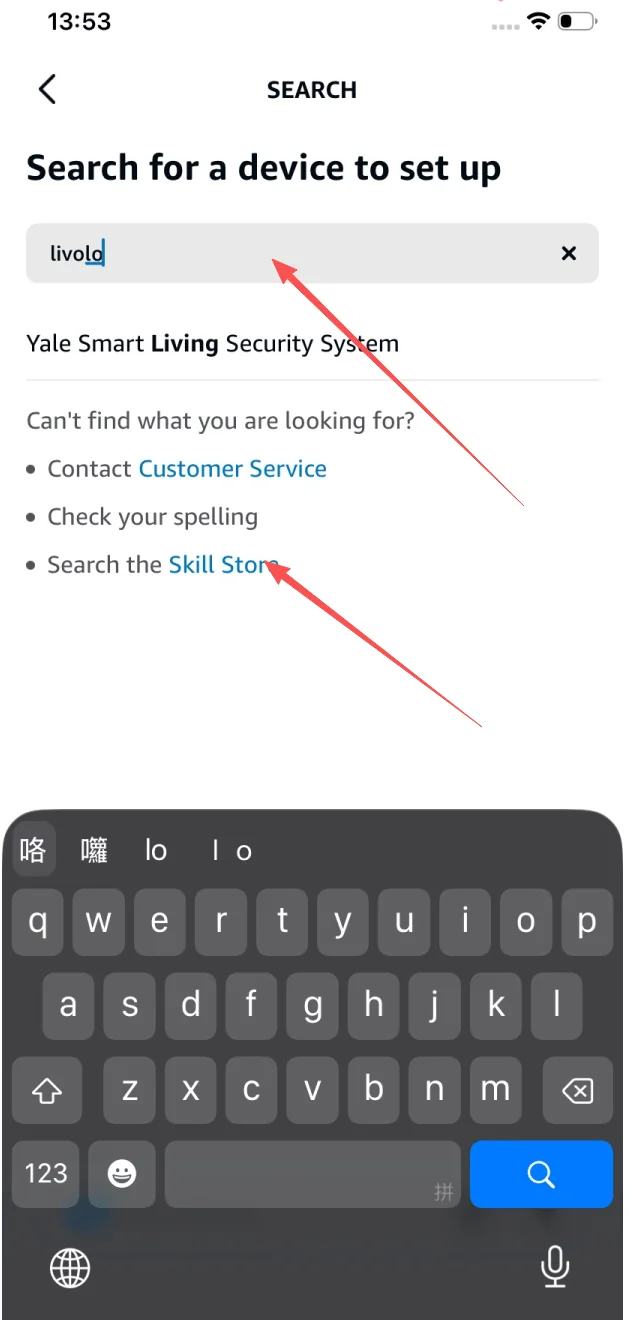
Type livolo in the search box. Under "Can’t find what you are looking for?", tap Search the Skill Store.
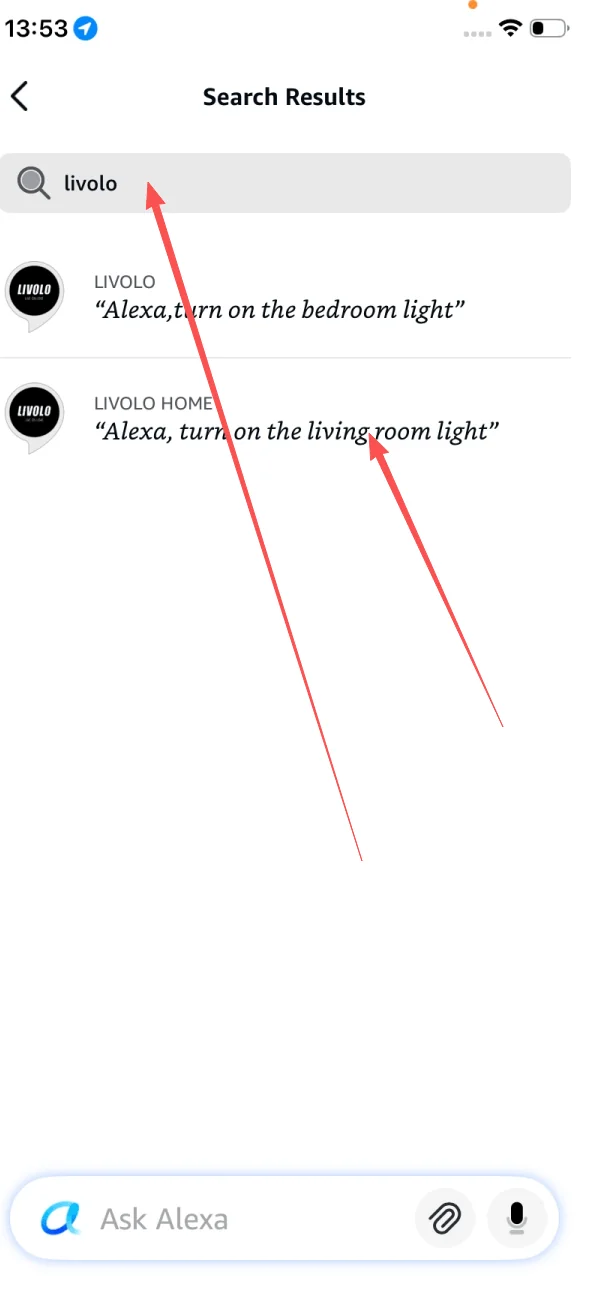
Two results appear — LIVOLO and LIVOLO HOME. Tap LIVOLO HOME, the official current skill.
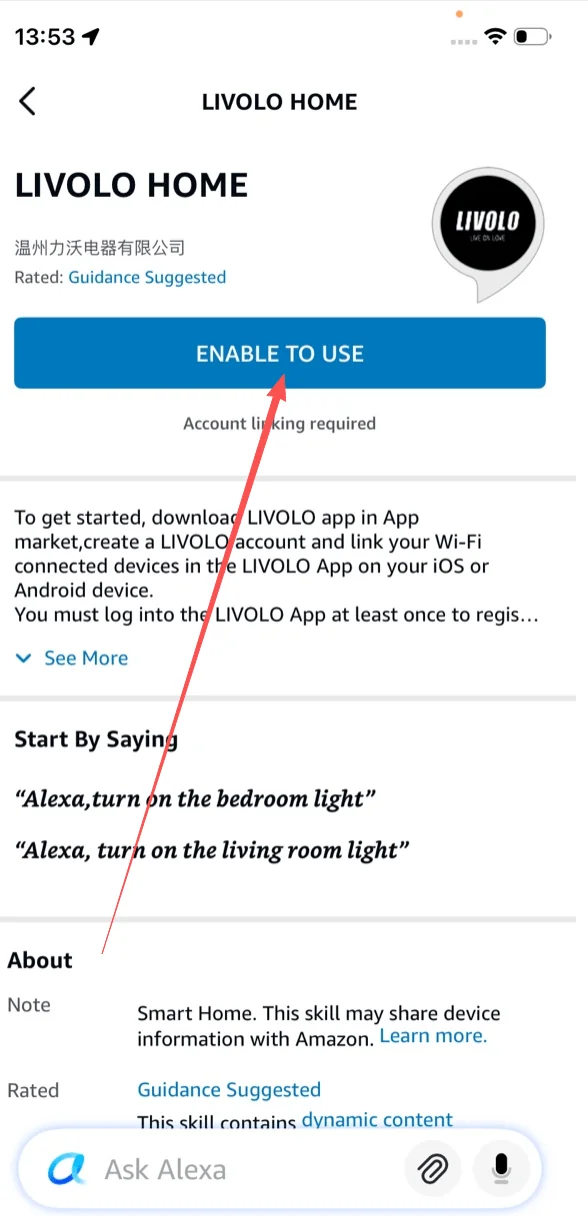
On the LIVOLO HOME skill detail page, tap the blue ENABLE TO USE button. Account linking is required.
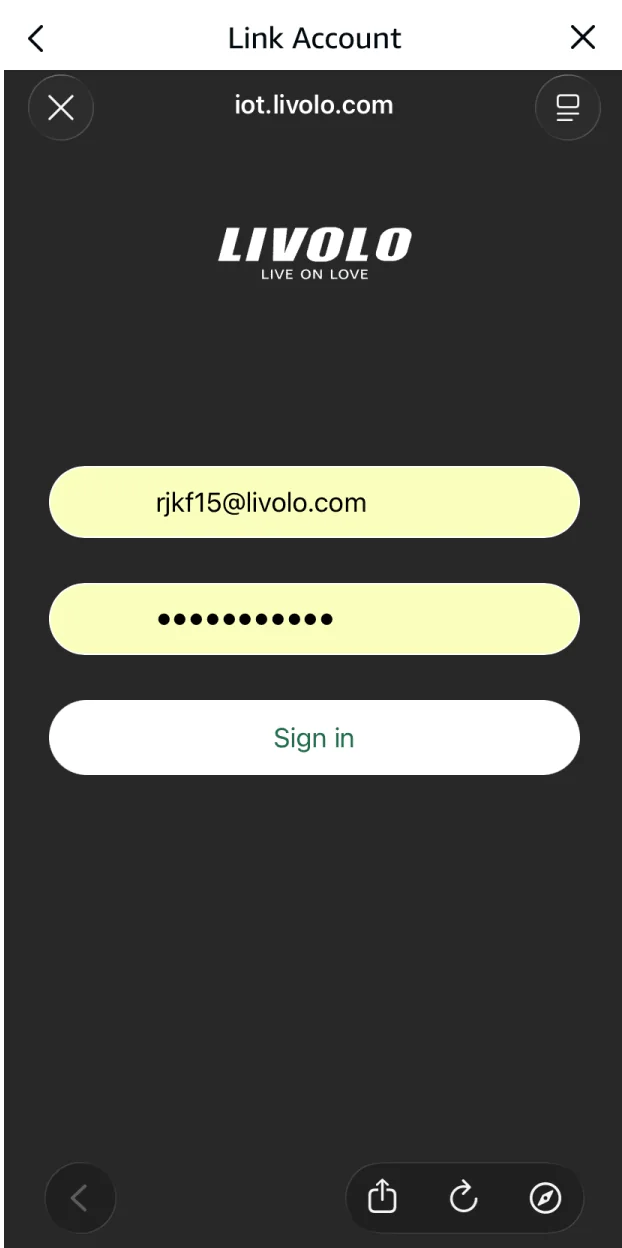
You’re redirected to iot.livolo.com. Enter your livolo-app email and password, then tap Sign in.

After linking, Alexa shows "Looking for devices to connect…" and imports every switch on your Livolo account. If your switches appear here — you’re done.
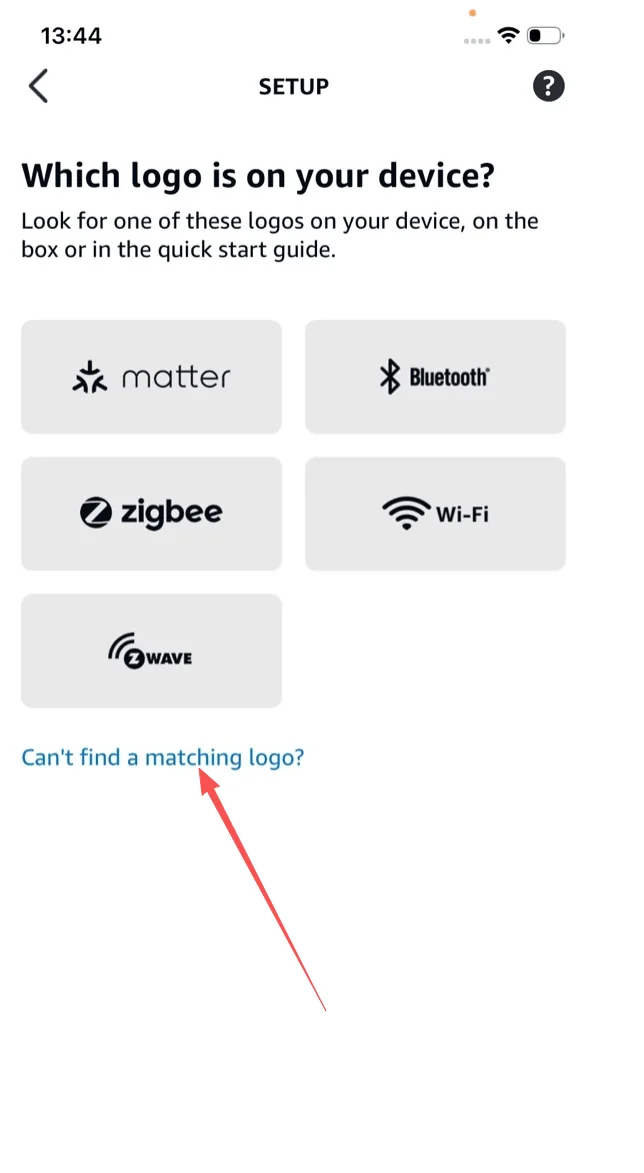
If auto-discovery fails, go back to + → Add Device. On the "Which logo is on your device?" screen, scroll down and tap Can’t find a matching logo?
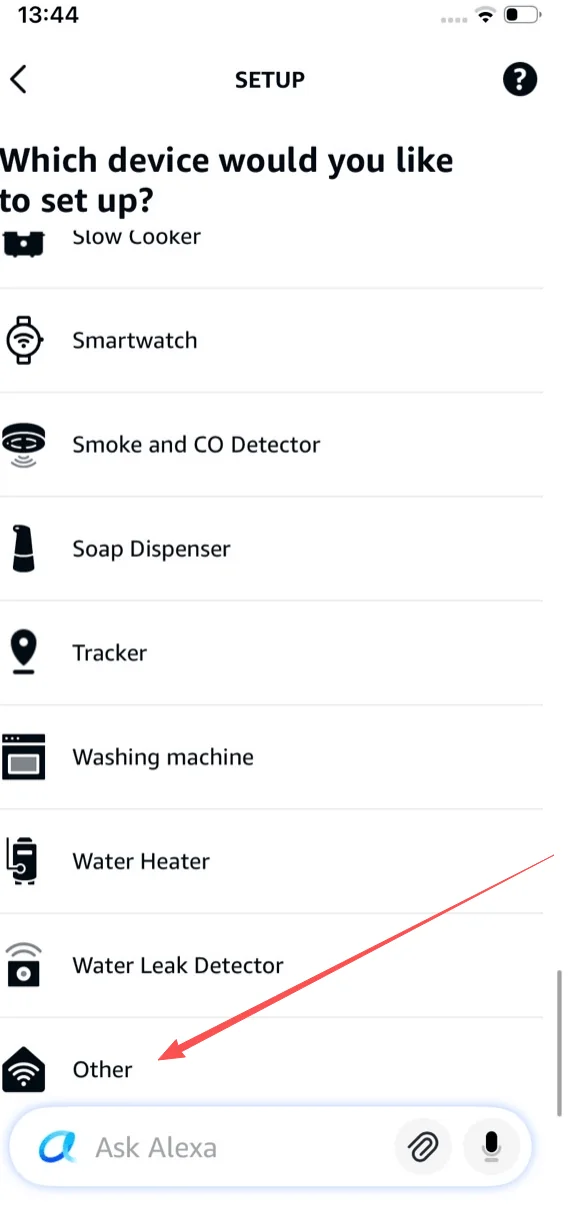
On "Which device would you like to set up?", scroll to the bottom of the list and tap Other.
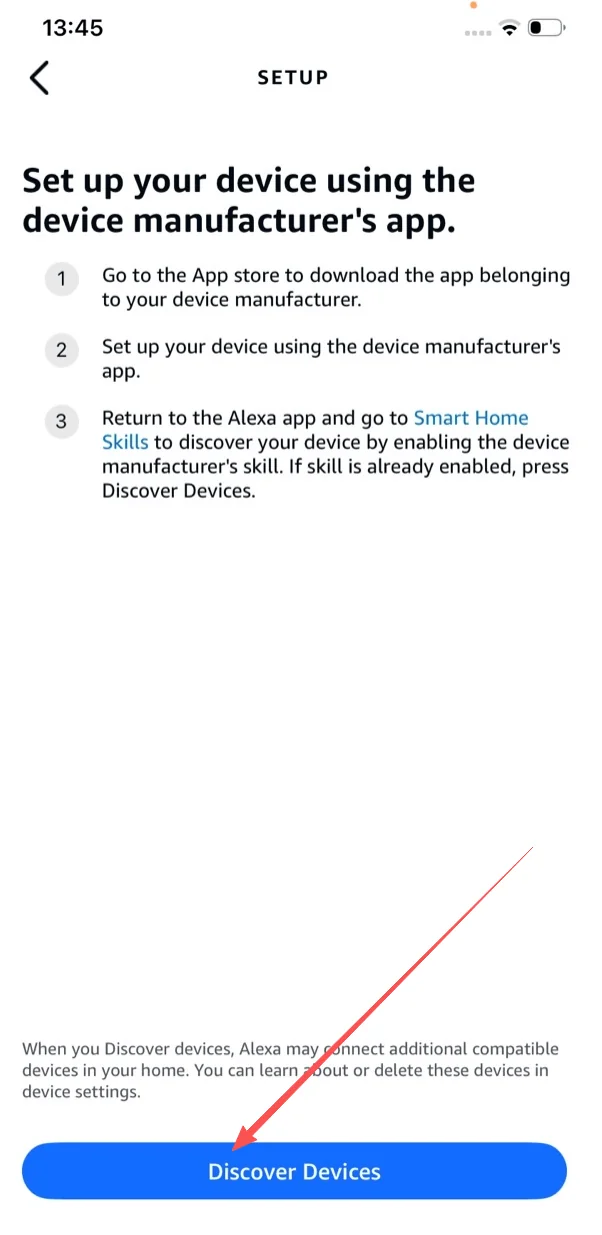
On the "Set up your device using the device manufacturer’s app" screen, tap the blue Discover Devices button. Alexa runs a fresh scan against your linked Livolo account.
Real commands tested with Livolo switches. Copy and try.
"Alexa, turn on the living room light"Switches the corresponding light on"Alexa, turn off all lights"Powers off every Livolo switch in your account"Alexa, dim the bedroom light to 50%"Works on Livolo dimmer models (e.g. VL-FC1SDZ2)"Alexa, set the kitchen to 30%"Adjusts brightness via room group"Alexa, good night"Triggers an Alexa Routine that powers off Livolo switches"Alexa, is the porch light on?"Reports current state of the switchFirst confirm the switch is online in the livolo-app. Then re-run Discover Devices in the Alexa app (or say "Alexa, discover devices"). If still failing, go to More → Skills & Games → Your Skills → LIVOLO HOME → Disable Skill, then re-enable and sign in again.
Use LIVOLO HOME. Both appear in search results, but LIVOLO HOME is the current official skill that supports account linking and full device discovery.
Yes — all Livolo dimmer models (VL-FC1SDZ2, VL-FC2SDZ2, etc.) accept percentage commands via Alexa once discovered through LIVOLO HOME.
No. Livolo Wi-Fi switches connect via the LIVOLO HOME skill over the cloud — no Echo Hub or extra bridge needed. Zigbee Livolo models require a compatible hub.
Yes. Livolo switches appear as standard smart home devices in Alexa, so they can be triggered by or included in any Routine (sunset, bedtime, away, etc.).
Yes — link the LIVOLO HOME skill on Alexa and the LIVOLO HOME service on Google Home independently. Both stay in sync with your Livolo account.
Wi-Fi onboarding via the LIVOLO HOME skill is the recommended method. Matter onboarding via a setup code is on the roadmap.


