

1
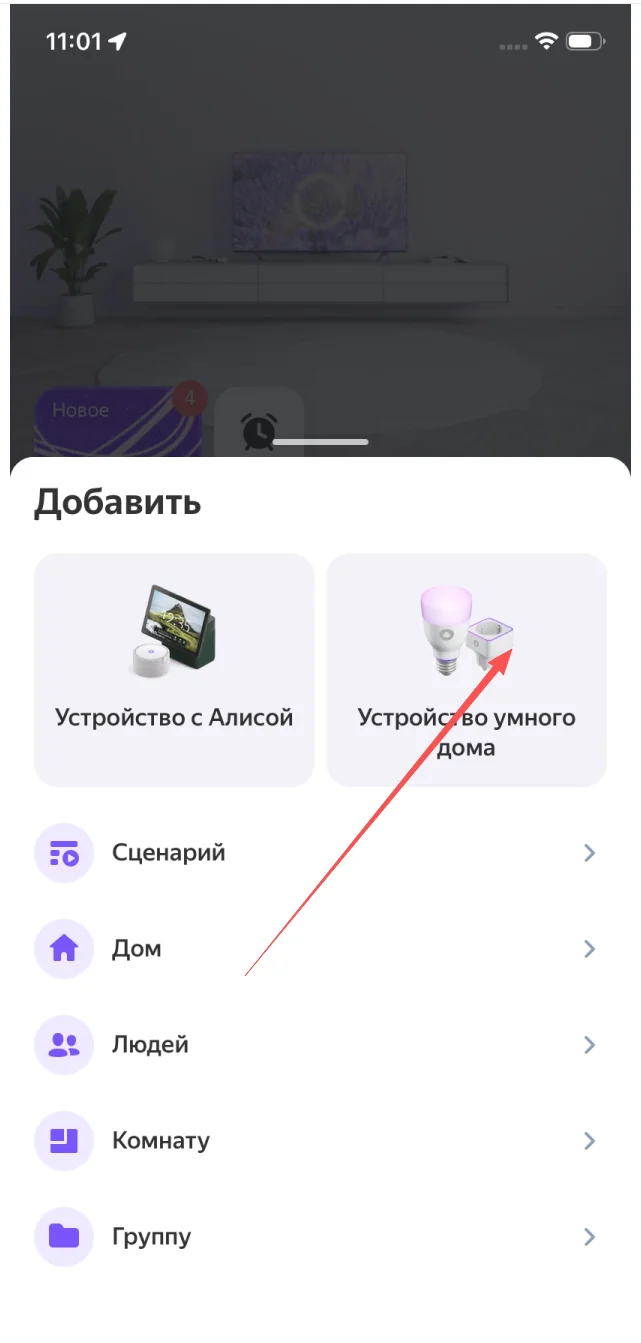
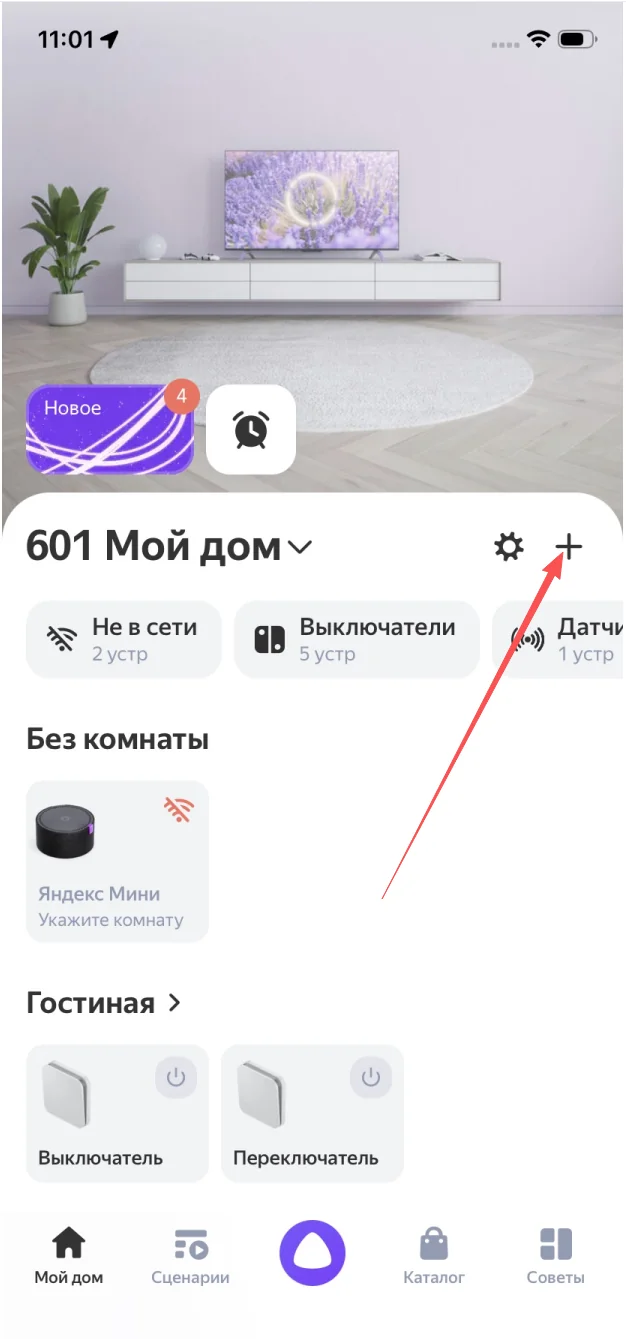
Open the Yandex app and tap +
On the home tab, tap the + in the top-right corner.
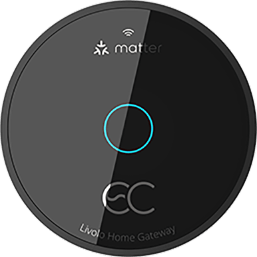
Connect every Livolo smart switch to the voice platform you already use. Step-by-step guides for Amazon Alexa, Google Home, Homey and Yandex Alice — no hub required for Wi-Fi models.
 Homey
Homey
Russian-language voice control for every Livolo switch — through the official LIVOLO HOME skill in the Yandex smart-home directory. Works on Yandex Station, Yandex Mini and the Yandex app on iOS / Android.
No hub. The LIVOLO HOME skill links your Livolo cloud account directly to your Yandex ID.
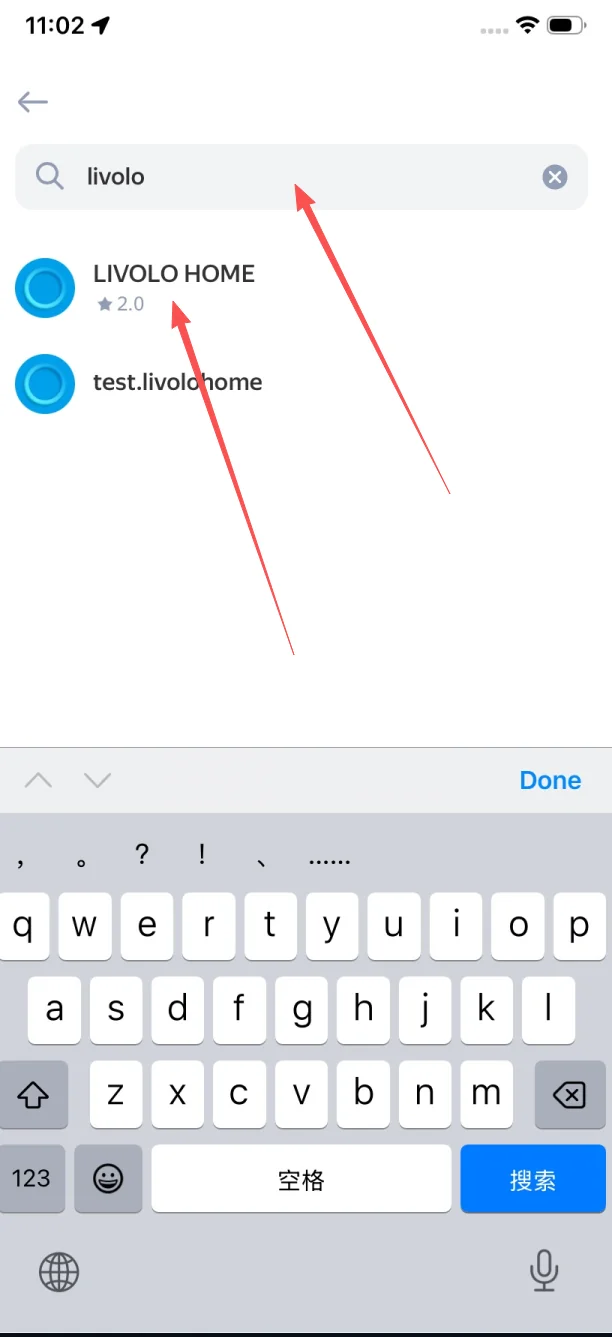
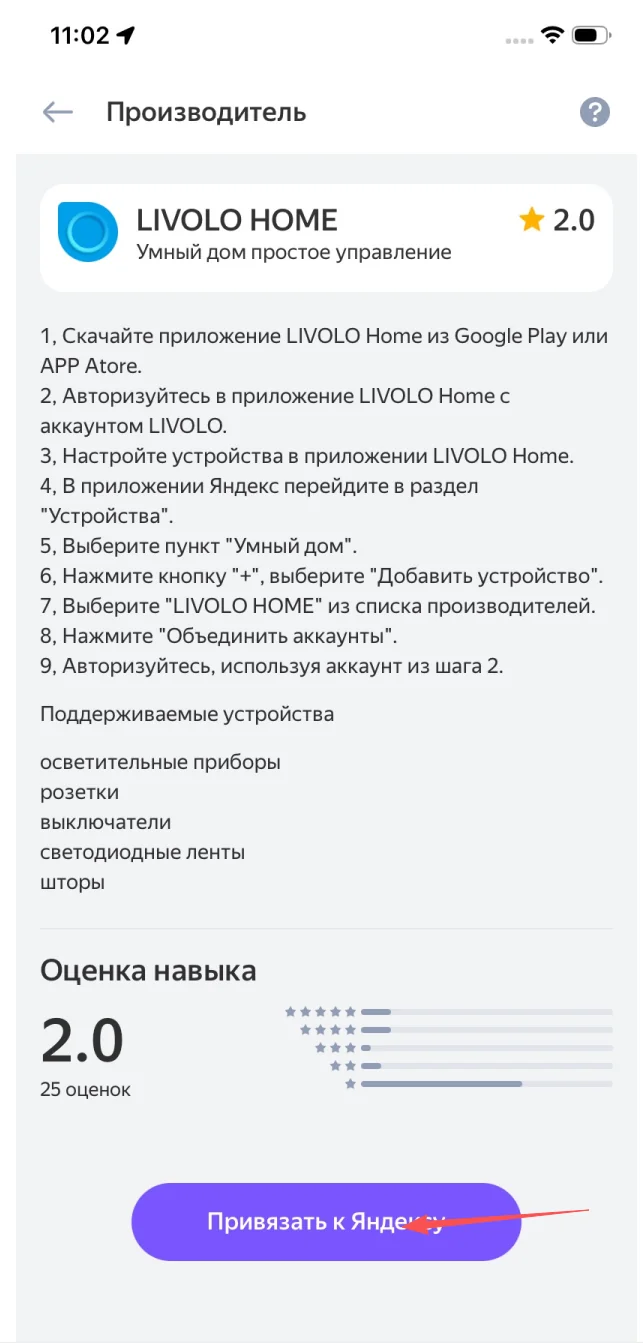
In the Yandex app, tap + → Устройство умного дома → search "livolo" → pick LIVOLO HOME → Привязать к Яндексу.
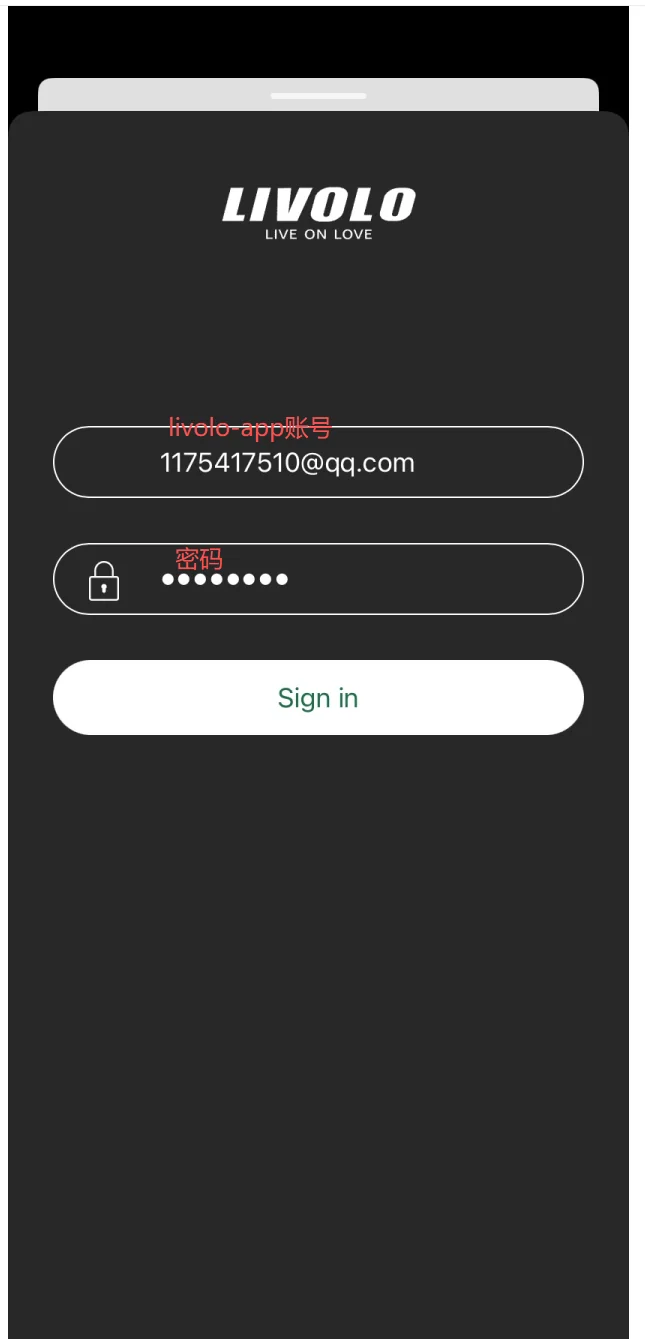
Sign in to your livolo-app account on iot.livolo.com, then tap Привязать on the Yandex ID confirmation screen.
Long-press a device → set Имя устройства and a room (Гостиная, Спальня…). Required before the device detail page opens.
UI strings below are kept in Russian to match the live Yandex app. Total time: ~3 minutes.
On the home tab, tap the + in the top-right corner.
In the Добавить sheet, tap Устройство умного дома (smart-home device).
Type livolo. Two results appear — pick LIVOLO HOME.
On the manufacturer page (with the 9-step instructions), scroll down and tap Привязать к Яндексу (Link to Yandex).
Enter your livolo-app email and password, then tap Sign in.
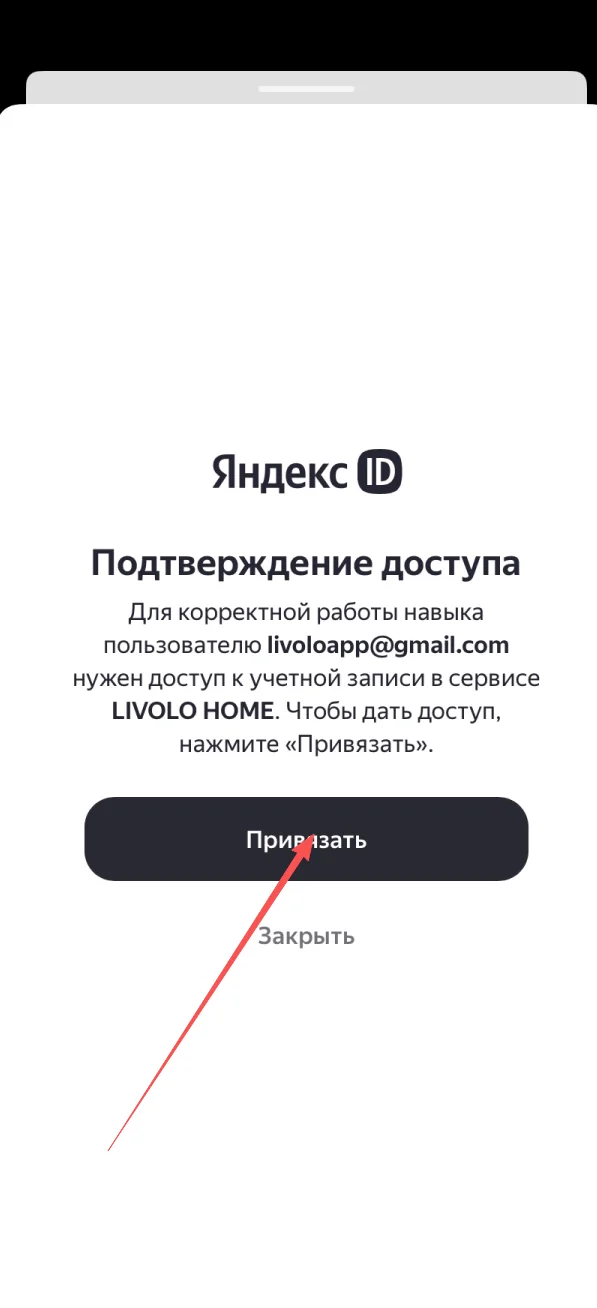
On Подтверждение доступа, tap Привязать to grant access.
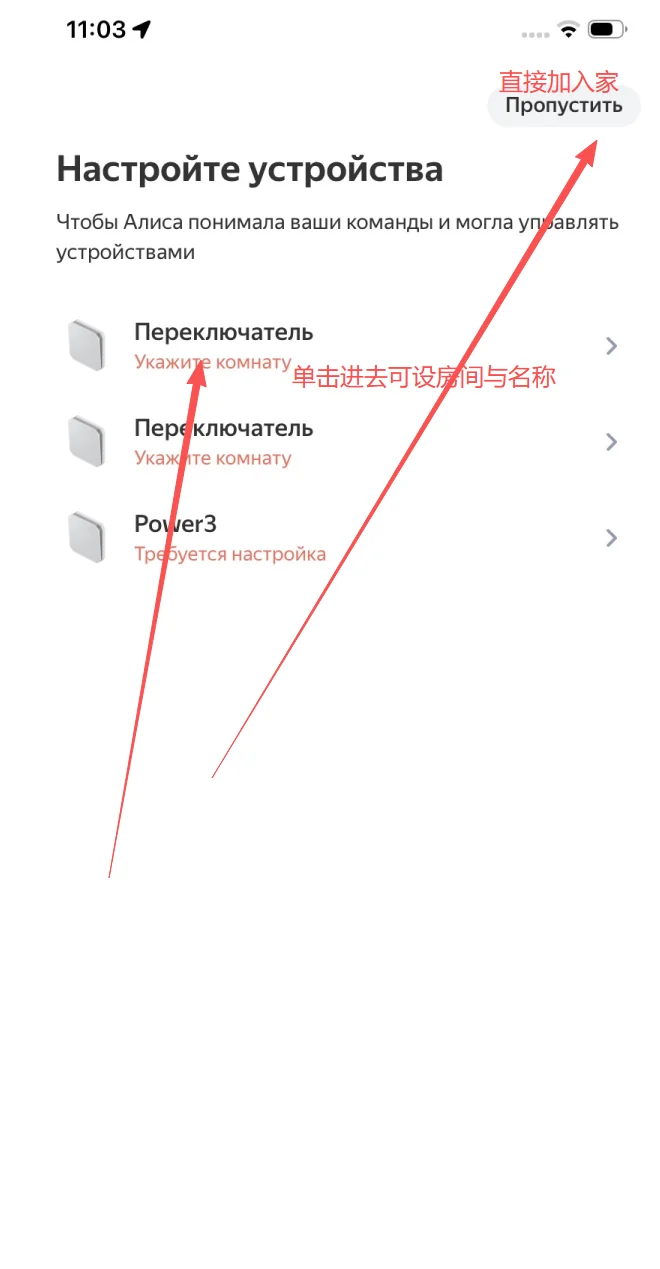
On Настройте устройства you can either tap Пропустить (top-right) to add devices without rooms, or tap a device to set its room and name immediately.
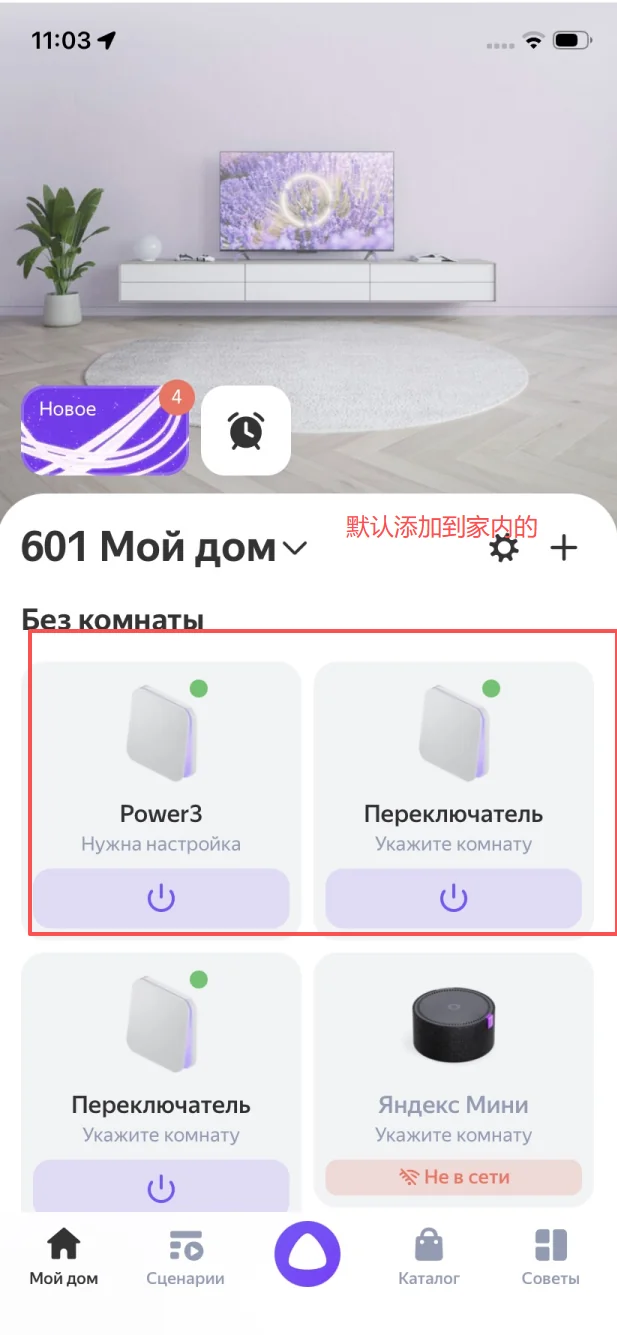
After Skip, devices show up in the Без комнаты (no room) group on the home screen — they’re already in your home.
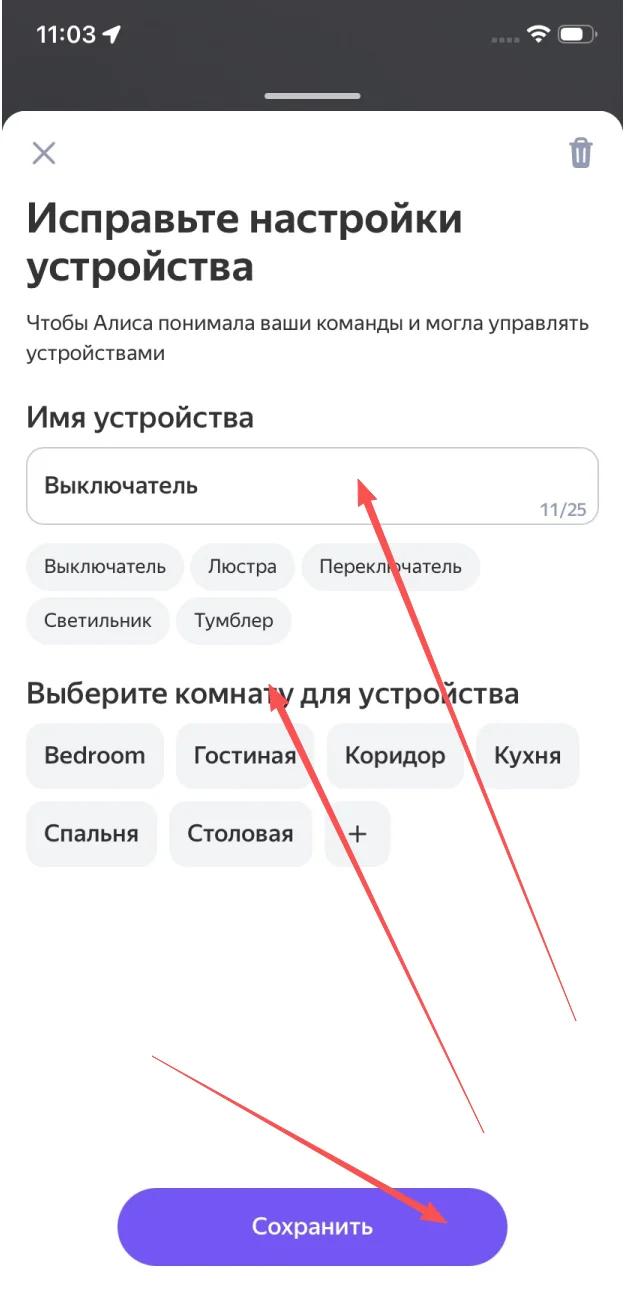
Long-press a device → Исправьте настройки устройства. Set Имя устройства, pick a room, tap Сохранить. ⚠️ Until name & room are set, the detail page is unavailable.
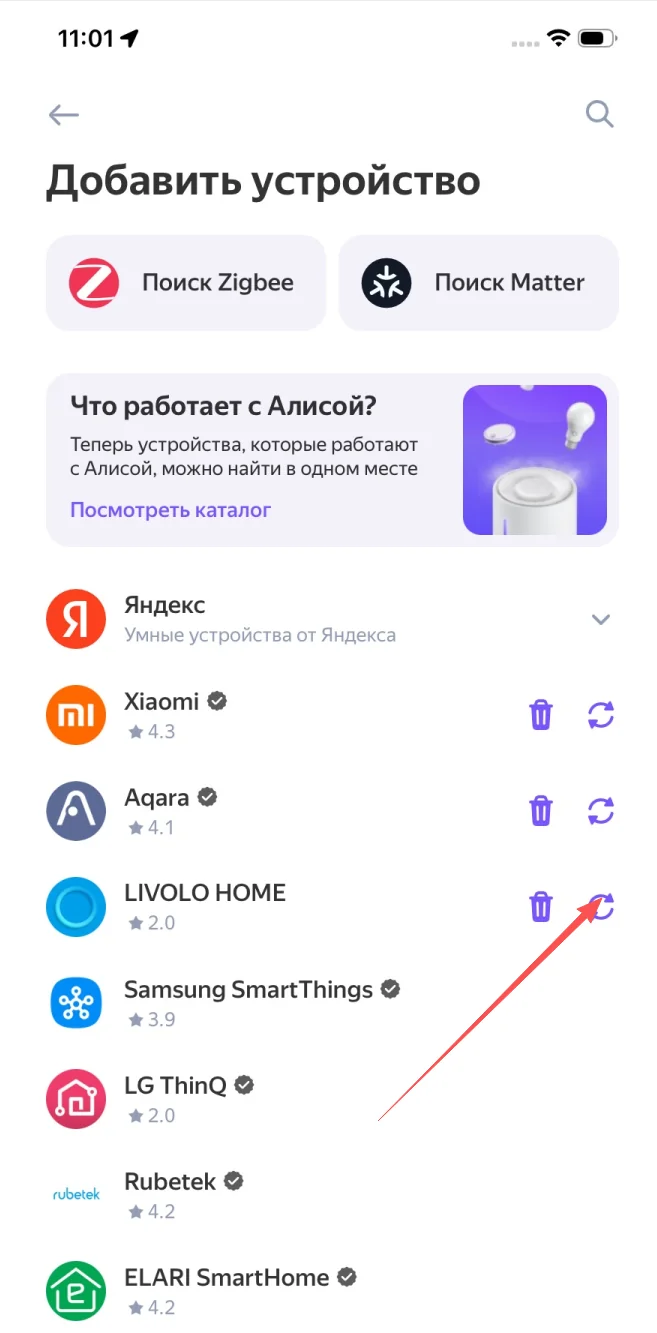
When you install a new Livolo switch, repeat steps 1–2. In Добавить устройство, livolo-app is already linked — tap the 🔄 refresh icon next to it to discover the new switch.
Russian-first commands tested with Livolo switches. Use the exact device name you set in Step 9.
"Алиса, включи свет в спальне"Turns on the bedroom Livolo switch"Алиса, сделай свет в гостиной 30%"Dims the living-room Livolo dimmer to 30%"Алиса, выключи всё на первом этаже"Group/room control via Yandex rooms"Алиса, спокойной ночи"Triggers a Yandex scenario including Livolo switches"Алиса, свет в коридоре включён?"Reports the current state of the Livolo switchOpen Yandex → Устройства → + and tap the 🔄 icon next to livolo-app (Step 10). Confirm the switch is online in the livolo-app first.
Set the device’s name and room first (Step 9). The detail page only opens for fully configured devices.
Open the device list → tap livolo-app → Отвязать аккаунт (Unlink). Then repeat from Step 1.
Use the exact name set in Step 9. Avoid Latin characters and numbers in device names — Алиса is Russian-first.
Yes. Once the LIVOLO HOME skill is linked to your Yandex ID, Алиса works on every Yandex speaker on that account.
No. The skill and livolo-app are both free.
All Wi-Fi Livolo Smart switches visible in the livolo-app are exposed to Алиса once the skill is linked.